Adding tools
A tool lets your agent call an HTTP API. You define it structurally (method, URL, what to pull
out of the response) with no code and no LLM call needed to set it up. On the canvas this is the
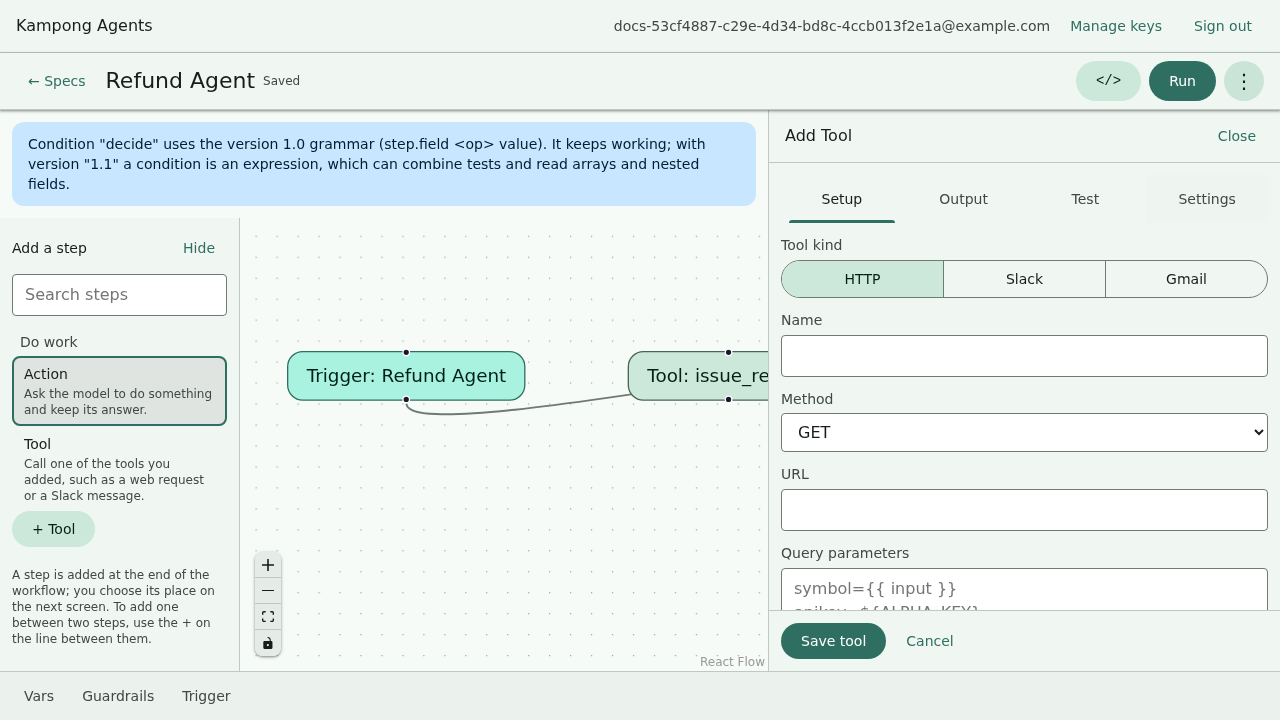
Add Tool form. In the YAML it's an entry under agent.tools.
agent:
  # ...role, goal, model...
  tools:
    - name: lookup_order
      action: http_request
      method: GET
      url: "https://api.shop.example/orders?ref={input}"
      extract: "order.status"
On the canvas, Add tool (in the top bar's menu, or + Tool under the step palette) opens a structured form for exactly these fields, with no code and no LLM call to set it up:
Defining a tool doesn't call it
Listing a tool under agent.tools makes it available. Your agent actually invokes it from a
condition step in the workflow, using execute_tool(lookup_order). That mechanism is on
the next page, Workflows and conditions. This page is about defining the tool
itself.
The fields
| Field | Required | What it does |
|---|---|---|
name |
yes | Identifier you reference from the workflow, e.g. execute_tool(lookup_order). |
action |
yes | The tool kind: http_request (generic), or a connector: slack_post_message, gmail_send. |
method |
yes | GET, POST, PUT, PATCH, or DELETE. |
url |
yes | The endpoint. Use {placeholders} for values filled in at call time. |
extract |
no | A dotted path into the JSON response, so the agent gets one field instead of the whole body. |
requires_approval |
no | If true, the run pauses for a human before the call. See Guardrails and approvals. |
The method and url fields above are the generic http_request tool. The connectors take
their own fields instead:
| Connector | Fields |
|---|---|
slack_post_message |
token (an ${ENV} reference), channel, text |
gmail_send |
token (an ${ENV} reference), to, subject, body |
tools:
  - name: notify_support
    action: slack_post_message
    token: ${SLACK_BOT_TOKEN} # never a literal, always an env reference
    channel: "#support"
    text: "New reply drafted: {{ draft.text }}"
Connector credentials are env references, never literals
A connector's token follows the same rule as a model key: it must be an ${ENV_VAR}
reference, resolved from the environment at run time. When you export or deploy the agent, set
that variable (for example SLACK_BOT_TOKEN) in the environment.
Placeholders resolve from the run, not thin air
Curly-brace placeholders in the url are substituted when the tool runs. Two kinds of value are
available:
{input}is the run's original input text.{<step>.<field>}is a scalar field from a prior step's output, namespaced by the step's name. If a step namedclassifyproduced{ "city": "Ipoh" }, then{classify.city}resolves toIpoh.
A placeholder with no matching value is left in the URL as-is. That surfaces as an honest HTTP failure rather than a silent wrong value, in keeping with the tool's fail-visibly stance.
Extracting one field
APIs return more than you want. extract is a dotted path into the JSON response body:
Given {"order": {"status": "shipped", "id": 42}}, the agent receives shipped. Omit extract
and the agent gets the full response to reason over.
Requiring approval before a call
Some calls shouldn't happen unsupervised: anything that spends money, sends a message, or mutates data. Mark the tool:
- name: send_refund
  action: http_request
  method: POST
  url: "https://api.pay.example/refund?order={input}"
  requires_approval: true
When the workflow invokes this tool, the run pauses right before the call. On the canvas you get
an approval modal, and from kampong run you get a prompt on stdin. Approve and it proceeds,
reject and the run stops with a clear status. Full mechanics in
Guardrails and approvals.
Testing a tool without the network
Real API calls are slow and non-deterministic. The mock/record layer records a call once and replays it forever after: same result every time, zero network. See Running offline.
Recap
- A tool is an entry under
agent.toolswithname,action: http_request,method,url, and an optionalextract. - Defining a tool only makes it available. It runs only when a condition step calls
execute_tool(<name>), covered next. urlplaceholders like{input}resolve from the run input and prior step outputs at call time.requires_approval: truepauses the run for a person right before the call.
Next: wire the tool into a decision with Workflows and conditions.