The hosted app
Everything so far has used kampong dev, a local server that edits one spec file on your
disk, with no sign-in. The hosted app is the same canvas, served by the multi-tenant server
(packages/server), where many people share it and each workspace keeps its own specs, its
own model-provider keys, and its own run history in a database.
You use the exact same canvas either way. What the hosted app adds around it is sign-in, workspaces, and server-side key storage.
Same bundle, two servers
The canvas figures out which server it is talking to when it loads: if the server answers
the authentication endpoints, it shows the hosted sign-in flow below; otherwise it behaves
exactly like local kampong dev. You do not choose a mode, you just open the URL your
server is on.
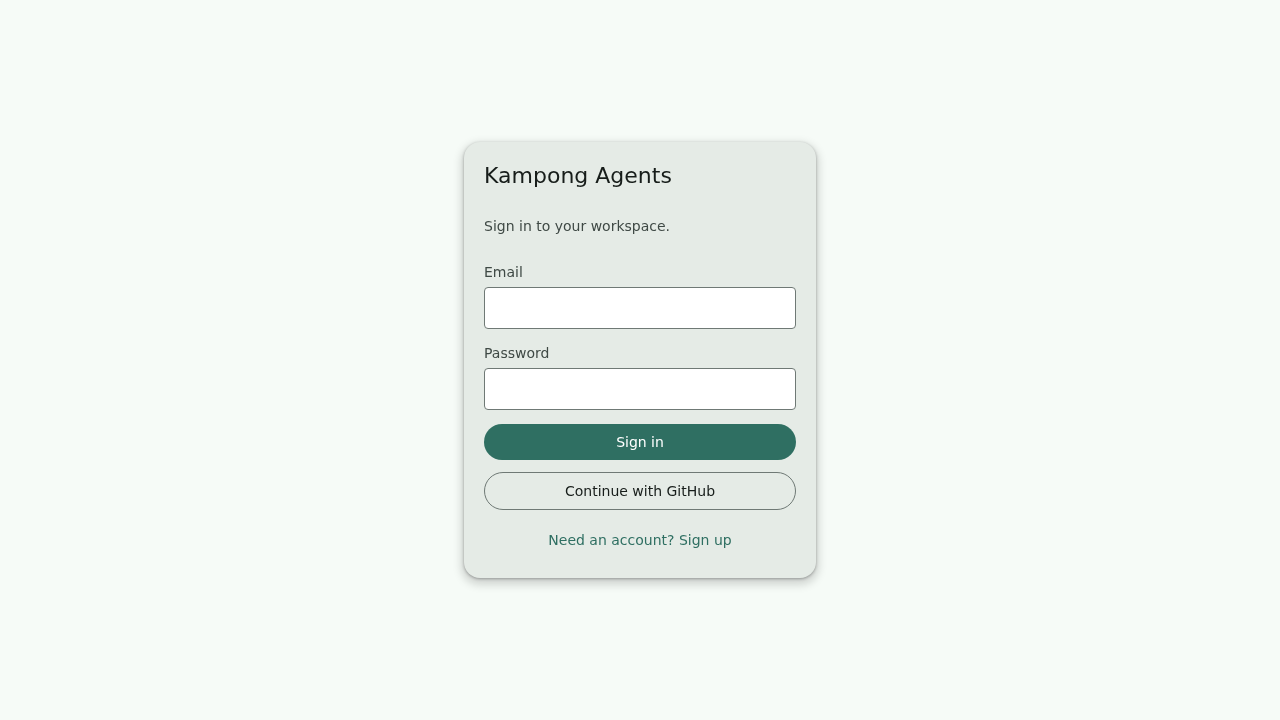
Sign in or create an account
The hosted app opens on a sign-in screen. Create an account with an email and password, or use Continue with GitHub if your server has GitHub sign-in configured.
Create a workspace
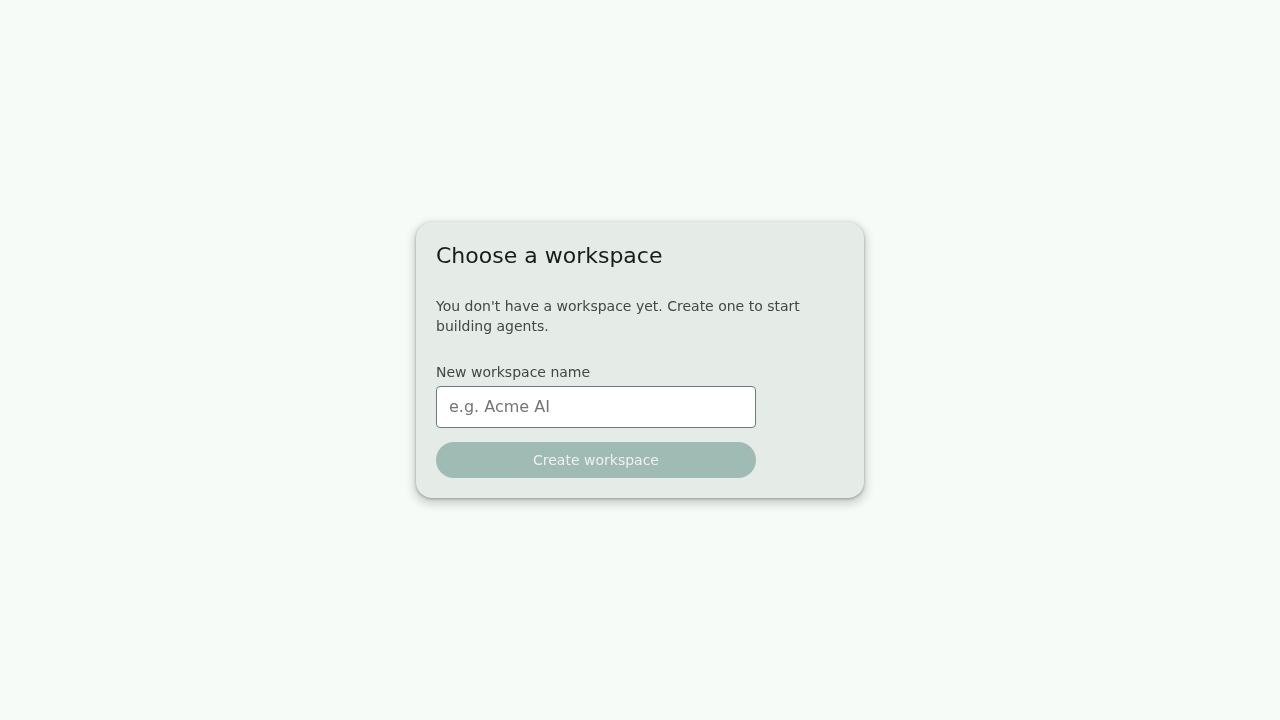
A workspace is the tenant boundary: its specs, keys, and runs are visible only to its members. A brand-new account has none, so you create one.
Switching between existing workspaces
Creating a workspace makes it active immediately. Switching to a different existing workspace is not wired up yet. It needs a server change that is on the roadmap. If you have several workspaces, the first one you create is the one you land in.
Add a model provider key
In local mode a spec's key comes from a ${ENV_VAR} in your own environment. The hosted server
holds no such environment for you, so each workspace stores its own provider keys. Open
Manage keys from the top bar, pick the provider, and paste the key.
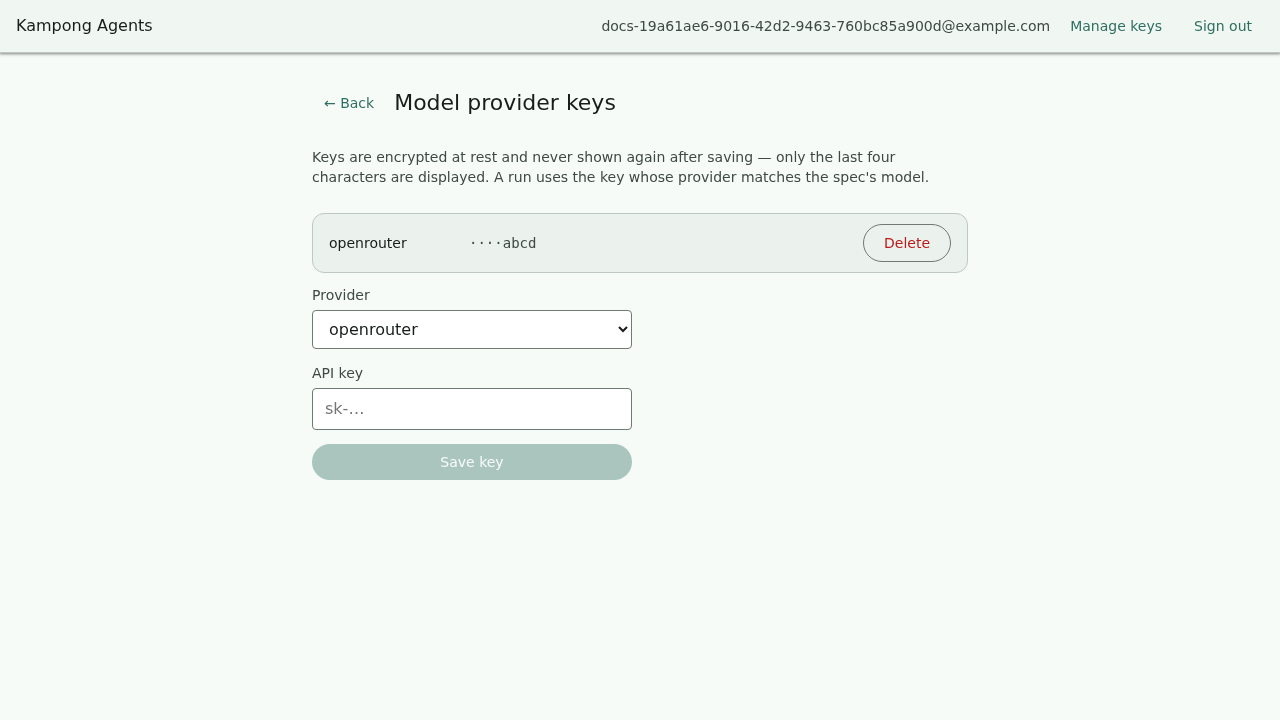
The key is encrypted before it is stored and is never shown again. The screen only ever displays the last four characters, enough to recognise which key is there. When a run needs to call a model, the server decrypts the key for that one call and no more.
The provider must match the spec
A run looks up the stored key by the provider named in the agent's model block. If your
spec says provider: openrouter, add an openrouter key. A key for a different provider
will not be found, and the run will stop with a clear "no key configured for provider…"
message.
Pick or create an agent
Where local mode edits one implicit spec, a workspace holds many, so the hosted app lands on a list of the workspace's agents. Open one, or create a new one from a starter template.
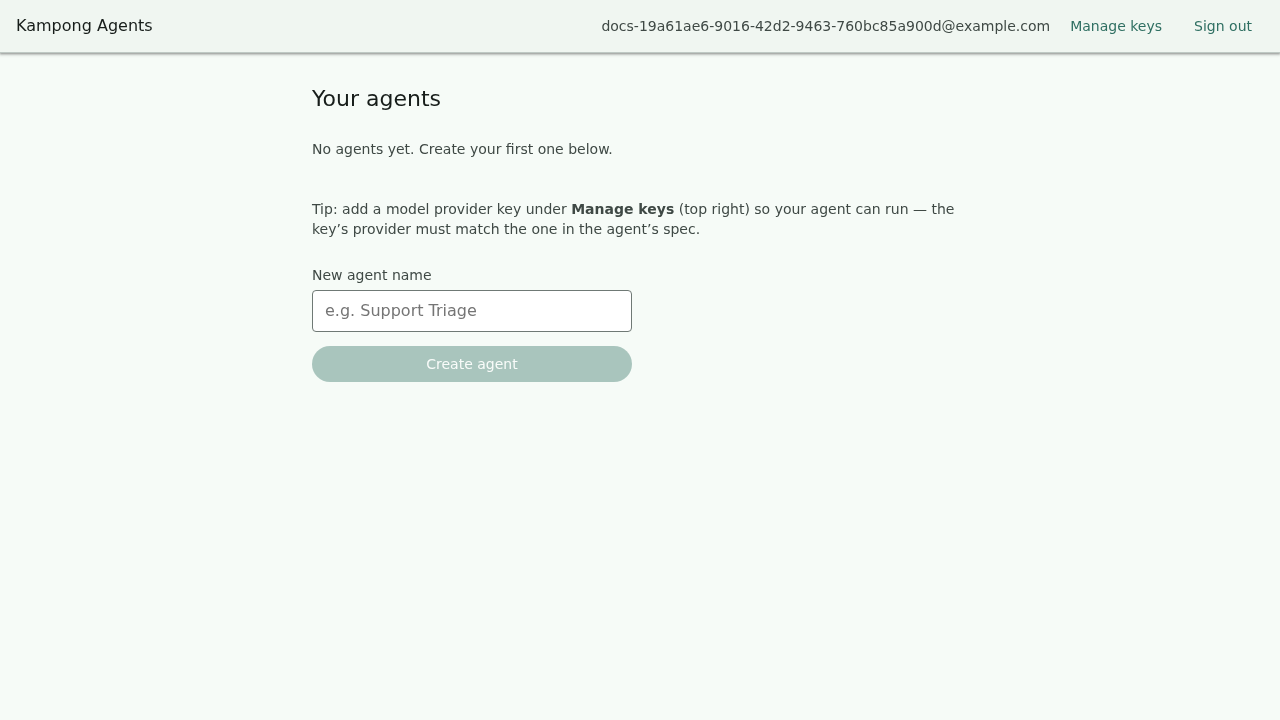
Creating an agent drops you straight onto the canvas for it.
Edit on the canvas
From here the canvas is identical to local mode: the graph on the left, the live YAML on the right, the Add tool and Add step actions in the top bar's menu (⋮), and Guardrails in the status bar along the bottom. Everything in the tutorial applies unchanged. The only difference is that your edits are saved to the workspace's database instead of a file on your disk.
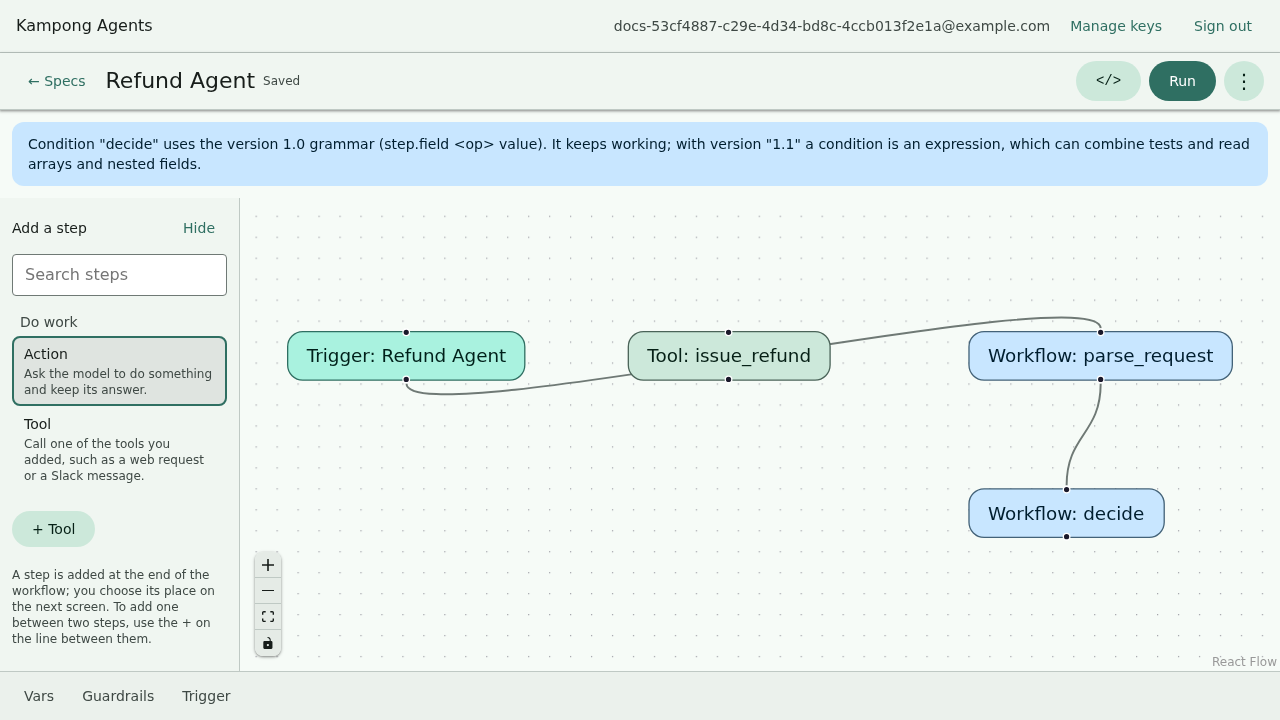
The ← Specs link in the top bar takes you back to the agent list.
Run it, and approve when asked
Press Run in the top bar, type an input, and the run streams its steps in the panel. When the agent reaches a guardrail or a tool that needs sign-off, the run pauses and asks.
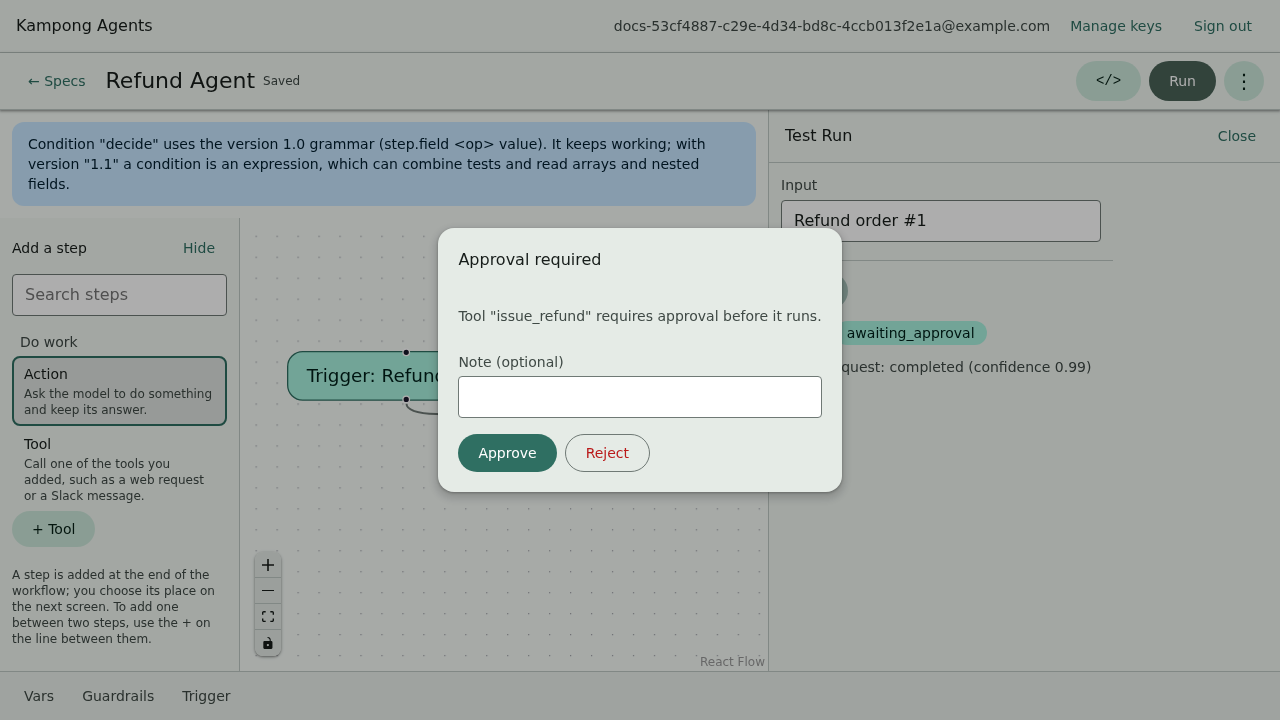
Approve it, and the run finishes; the trace and final output stay on screen.
Where a tool may call
On the hosted server a tool can only reach public internet addresses. A tool whose URL is, or resolves to, a
loopback, private, link-local or cloud-metadata address (localhost, 10.x.x.x, 169.254.169.254 and the like)
is stopped before anything is sent, and the run shows an error naming the tool and the host. The same goes for a
public URL that redirects to a private one. Self-hosters who need a tool to reach an internal service list its
exact hostname or IP address in KAMPONG_EGRESS_ALLOW_HOSTS (comma-separated). See ADR-0058.
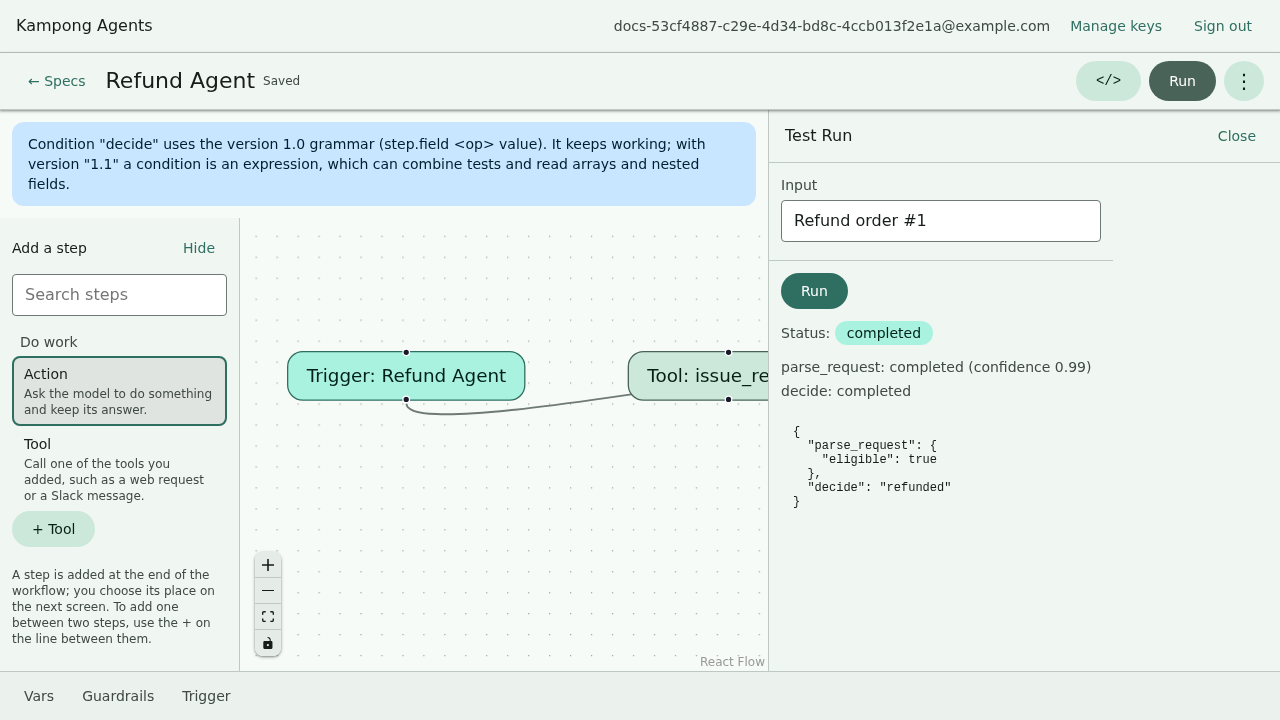
Runs are durable in hosted mode. They are stored per workspace, so you can come back to a past run's trace later, which the local in-memory runner does not keep.
Recap
- The hosted app is the same canvas plus sign-in, workspaces, server-side keys, and durable runs.
- Each workspace isolates its specs, keys, and runs from every other.
- Provider keys are stored per workspace, encrypted, and shown only by their last four
characters; the key's provider must match the spec's
model.provider. - Editing, running, and approving work exactly as they do locally. See the tutorial for the agent-building details.
Next: Your first agent, which reads a spec field by field.